Product
Jev for Analytics: 5 Use Cases on Real DataLivestream Oct. 8

Apache Parquet is an open-source columnar file format: values for each column sit together on disk, so a query that needs a single column can skip the other columns. On an 11.2M-row NYC TLC yellow taxi dataset (Jan–Mar 2025, 20 columns) in DuckDB v1.5.5, a Zstd Parquet file was 6.8× smaller than the same data as CSV and 22–60× faster depending on how many columns the query touched. That layout, plus encodings and a footer of min/max stats, is why Parquet is typically 5–10× smaller than CSV and 10–100× faster to query. Spark, DuckDB, pandas, Arrow, and most cloud warehouses treat Parquet as the default file format for analytics.
count(*) was ~160× faster because it answers from row-group metadata.A Parquet file is a binary table stored column-wise. CSV stores row1.col1, row1.col2, … then the next row. Parquet stores every value of col1, then every value of col2. Same table, different layout.
That is why it compresses well and why it scans fast. Values in one column share a type and often a small set of repeated values, so dictionary encoding and run-length encoding shrink the column before any general compressor runs. A query that aggregates one column never has to decode the other nineteen.

Inside the file:
trip_distance > 10 and a chunk's max is 8, that chunk is never read.Parquet is an Apache Software Foundation project. Spark, Hadoop, Presto/Trino, DuckDB, pandas (via PyArrow), and Arrow all read and write it. That ecosystem is the practical reason it won over ORC outside Hive-centric stacks.
Parquet format v2 added encodings aimed at numerics (delta binary packed, byte-stream split). Most engines, including DuckDB, read both v1 and v2. You do not pick Parquet vs "Parquet v2" as a product; you pick a writer setting.
We exported the same 11,198,026 NYC TLC yellow taxi trips (official TLC Parquet, Jan–Mar 2025, 20 columns) to CSV and to Parquet with Snappy and Zstd, then queried both in DuckDB v1.5.5 on an Apple M3 Max with 36 GB RAM. Files were OS-cached for both formats. Timings are the median of three runs. The full method, results, and commands to reproduce it on your own machine are on our CSV-vs-Parquet benchmark page.
File size:
| Format | Size | vs CSV |
|---|---|---|
| CSV | 1.09 GB | — |
| Parquet (Snappy) | 218 MB | 5.1× smaller |
| Parquet (Zstd) | 164 MB | 6.8× smaller |
Query speed, CSV vs Parquet-Zstd:
| Query | CSV | Parquet | Speedup |
|---|---|---|---|
SELECT count(*) | 0.485 s | 0.003 s | ~160× |
SELECT avg(trip_distance) | 0.490 s | 0.008 s | ~60× |
GROUP BY passenger_count | 0.506 s | 0.021 s | ~24× |
Filtered sum (WHERE trip_distance > 10) | 0.496 s | 0.013 s | ~38× |
Top-5 by total_amount (all 20 columns) | 0.705 s | 0.032 s | ~22× |
Two caveats worth keeping attached to these numbers. DuckDB's parallel CSV reader is already fast (~0.5 s over 1.1 GB), so this is not "CSV is slow in DuckDB." The Parquet advantage is columnar pruning, compression, and metadata. And count(*) is the extreme case: Parquet answers it from row-group metadata without scanning data. The fair lower bound is the all-columns query at 22×. Single-column aggregates land around 60×. A usable rule: 10–100× faster for analytics, depending on how many columns the query touches.
| Parquet | CSV | JSON | Avro | ORC | |
|---|---|---|---|---|---|
| Layout | Columnar | Row (text) | Row (text/semi-structured) | Row (binary) | Columnar |
| Size vs this CSV | 5.1–6.8× smaller | Baseline | Larger than CSV for tabular data | Smaller than CSV, larger than Parquet | Similar to Parquet; sometimes smaller |
| Human-readable | No | Yes | Yes | No | No |
| Schema | Embedded in footer | None | Optional / inferred | Embedded (excellent evolution) | Embedded |
| Nested types | Structs, lists, maps | No | Native | Yes | Yes |
| Compression | Snappy, Zstd, Gzip, plus dictionary/RLE | None (or whole-file gzip) | None (or whole-file gzip) | Codec on the container | Similar codecs to Parquet |
| Predicate pushdown | Yes (chunk stats) | No | No | Limited | Yes |
| Best for | Analytical scans, data lakes, interchange between Spark/DuckDB/pandas/warehouses | Small exports, spreadsheets, humans | Event logs, APIs, irregular nested payloads | Kafka-style streaming, schema-evolving row pipes | Hive/Hadoop stacks that already standardized on ORC |
| Don't use when | You need to edit a row, or open the file in a text editor | The table is wide, large, or queried often | You are storing a rectangular table | You are doing column-subset analytics | You need the broadest tool support |
| Key advantage | Column pruning + stats + everywhere-supported | Universal and inspectable | Flexible shape | Schema evolution on a row stream | Hive-tuned compression and ACID (via Hive) |
CSV is a text table. Fine for a 2 MB export you will open in a spreadsheet. It has no types, no compression, and every query reads every column.
JSON is a document, not a table. Good for events with optional nested fields. Bad as a warehouse format: you pay to parse text, and column pruning is weak unless you extract fields into a real table first.
Avro is the row-oriented binary counterpart to Parquet. It shines when you write one record at a time and the schema will change (Kafka, ingestion). It is the wrong default for SELECT avg(col) FROM 200_columns.
ORC is Parquet's closest peer: columnar, compressed, stats in the file. It started in Hive and still wins some compression bake-offs there. Parquet is the default in Spark, DuckDB, pandas, Arrow, and most cloud warehouses. Unless you already live in Hive, pick Parquet for interoperability.
The speed comes from skipping work, not from a faster parser:
SELECT avg(trip_distance) reads one column chunk per row group. The other 18 columns stay on disk. CSV cannot do this.WHERE trip_distance > 10 skips every chunk whose max is ≤ 10 — but only if such a chunk exists. Our taxi file is ordered by pickup time, so long trips appear in every row group, no chunk has a max under 10, and nothing gets skipped: the 38× on the filtered sum is column pruning and compression, same as the other rows. Pushdown pays off when the filter column correlates with file or row-group order. A date filter on time-partitioned files can skip most of the dataset before reading a byte.
count(*) is a fourth, narrower trick: the row count lives in metadata, so DuckDB does not scan the file. Treat that 160× as a format feature, not as typical query speed.
DuckDB queries Parquet in place. No load step.
Read a file by path:
Copy code
SELECT vendorid, trip_distance, total_amount
FROM 'trips.parquet'
WHERE trip_distance > 10;
Read many files, including Hive-partitioned directories. Partition columns come from the folder names (year=2025/month=3/…):
Copy code
SELECT *
FROM read_parquet(
's3://bucket/trips/*/*/*.parquet',
hive_partitioning = true
)
WHERE year = 2025 AND month = 3;
Write with Zstd. DuckDB's default Parquet codec is still Snappy; set Zstd when you care about size (6.8× vs 5.1× on the taxi data):
Copy code
COPY (
SELECT * FROM 'trips.csv'
) TO 'trips.parquet' (
FORMAT PARQUET,
COMPRESSION ZSTD
);
Inspect what the writer actually put in the file:
Copy code
SELECT
path_in_schema,
compression,
stats_min_value,
stats_max_value
FROM parquet_metadata('trips.parquet');
MotherDuck uses the same functions. Point read_parquet at a local path, HTTPS URL, or S3 prefix and CREATE TABLE AS if you want the result managed in MotherDuck.
No. Parquet is a file format. Iceberg, Delta Lake, and DuckLake are table formats. A table format is a catalog of many data files plus a transaction log: which files belong to the table right now, what the schema is, and how to time-travel.
Most Iceberg, Delta, and DuckLake tables store their data as Parquet. The table format adds what a single Parquet file cannot do: ACID commits, concurrent writers, schema evolution that does not rewrite history, and SELECT * FROM t AT (TIMESTAMP => …).
| File format (Parquet) | Table format (Iceberg / Delta / DuckLake) | |
|---|---|---|
| Unit | One file | A table made of many files |
| Transactions | None | ACID commits |
| Time travel | None | Snapshot / version queries |
| Schema changes | Limited (add columns; readers must tolerate it) | First-class, versioned |
| Typical data files | — | Parquet (Iceberg can also use ORC/Avro) |
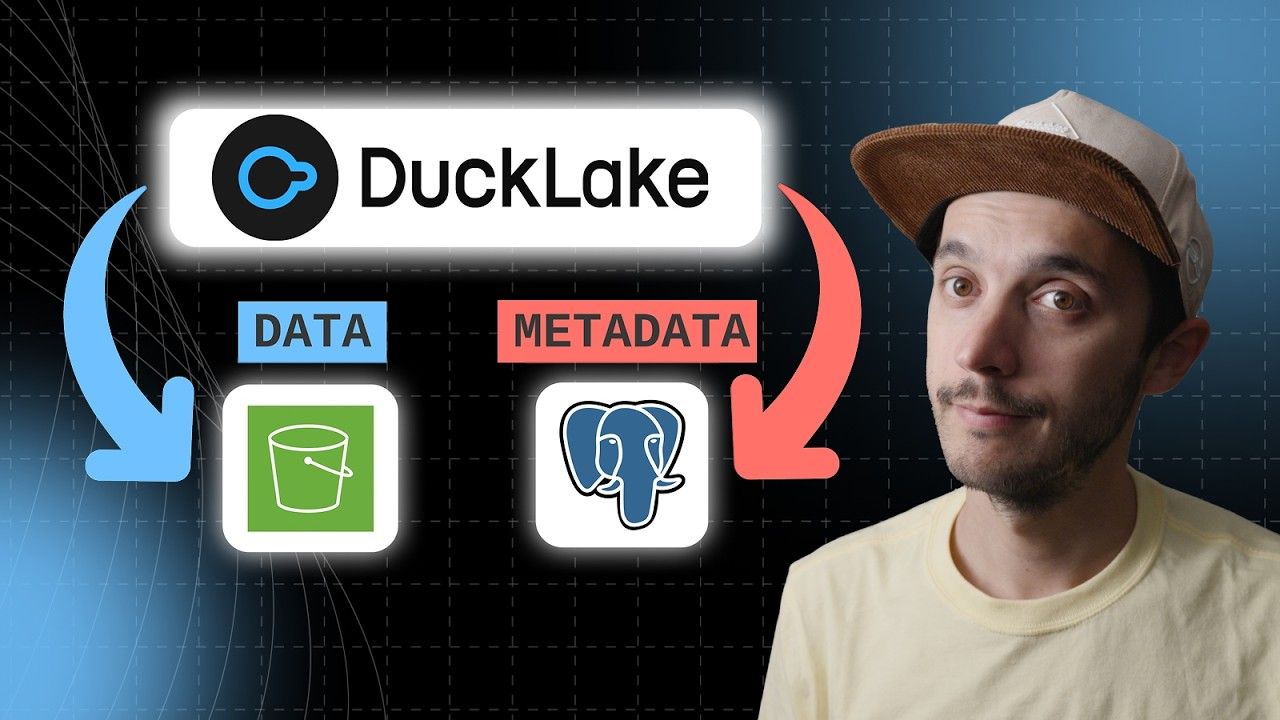
DuckLake keeps that catalog in a SQL database (Postgres, MySQL, DuckDB, or MotherDuck) instead of in JSON/Avro files on object storage. The data is still Parquet. If you have a pile of Parquet files and you need a table, you want a table format. If you have a table and you need a file, you want Parquet.
Parquet is a bad fit when the unit of work is a row, a person, or a tiny file.
head beats a binary file you cannot.cat a Parquet file. Excel in Microsoft 365 can import Parquet through Get Data; double-clicking a .parquet still does not open it like a CSV. If the audience is a person with Excel and no Power Query habit, send CSV.DuckDB and MotherDuck inherit these limits when they query files directly. They do not magically make a Parquet directory updatable. If you need updates, load the data into a table (or a DuckLake) and treat the Parquet as the import format.
Start using MotherDuck now!
Apache Parquet is an open-source columnar file format. Unlike CSV, it stores each column together in a compressed binary layout and keeps min/max stats in a footer. Engines such as DuckDB, Spark, and pandas can read only the columns a query needs. That is why Parquet is the default analytical file format in those tools.
Smaller files and faster analytical queries. Column pruning skips unread columns, predicate pushdown skips row groups using footer stats, and dictionary/RLE encoding shrinks low-cardinality columns before Snappy or Zstd. On 11.2 million NYC taxi rows in DuckDB v1.5.5, Parquet-Zstd was 6.8× smaller than CSV and 22–60× faster.
CSV and Avro are row-based; JSON is a document format; ORC is the other major columnar file format. Iceberg, Delta Lake, and DuckLake are not alternatives. They are table formats that usually store data as Parquet and add transactions and time travel.
CSV stores rows as plain text. Parquet stores columns in a compressed binary file with a typed schema. For analytics, Parquet is smaller and faster: it reads only the columns a query needs. On our taxi benchmark, Zstd Parquet was 6.8× smaller than CSV. Use CSV for small, human-readable interchange files; use Parquet for large analytical datasets.
Both are open-source columnar formats with compression and predicate pushdown. Parquet has the broader ecosystem. It is the default in Spark, DuckDB, pandas, Arrow, and most cloud warehouses. ORC started in Hive/Hadoop and can beat Parquet on compression for some Hive workloads. For DuckDB and MotherDuck, Parquet is the interoperable choice.
On 11,198,026 NYC taxi rows (19 columns) written from DuckDB v1.5.5, Snappy Parquet was 5.1× smaller than CSV (218 MB vs 1.09 GB) and Zstd Parquet was 6.8× smaller (164 MB). The old "5–10×" rule of thumb matches this dataset. Highly repetitive columns compress more; already-unique strings compress less.
Not by double-clicking. Microsoft 365 Excel can import Parquet through Data → Get Data → From File, via Power Query. That path is fine for a slice. For anything near our 11 million-row taxi file, use DuckDB (SELECT * FROM 'file.parquet') or pandas.read_parquet() and export a small CSV if someone needs a spreadsheet.
pandas.read_parquet('trips.parquet'). You need PyArrow or fastparquet installed; PyArrow is the usual engine. For SQL instead of a DataFrame, DuckDB can query the same file without loading it: SELECT * FROM 'trips.parquet'. Use pandas when you want DataFrame APIs; use DuckDB when the file is larger than memory.
Snappy is DuckDB's and Spark's default: fast to write, decent size. Gzip is smaller and slower. Zstd is the better default for analytical archives you control. On the taxi data it was 6.8× smaller than CSV vs Snappy's 5.1×, with decompression that stays in Snappy's range. Set it explicitly: COPY t TO 't.parquet' (FORMAT PARQUET, COMPRESSION ZSTD).
No. Parquet is a file. Iceberg and Delta Lake are table formats that organize many Parquet files into a versioned table with ACID commits and time travel. DuckLake does the same job with the catalog in a SQL database. You still write Parquet; the table format decides which files are current.